
IMPORTANT SAFETY INFORMATION
Recall of S1 Pro System Battery Packs and Bose S1 Pro+ System Battery Packs
Bose is voluntarily recalling certain Bose S1 Pro System Battery Packs and Bose S1 Pro+ System Battery Packs. The recalled lithium-ion battery packs can overheat and ignite, posing a risk of injury from fire and overheating hazards. These battery packs were originally sold as part of Bose S1 Pro and S1 Pro+ Portable Bluetooth Speaker Systems and also sold as stand-alone accessories or replacement parts. To determine if your battery pack is impacted, please follow the instructions below. If your battery pack is included in the recall:- Immediately stop using it.
- If it is installed in your speaker, remove it following the instructions below.
- Once removed, locate the battery pack’s serial number according to the instructions below and write it down. You will need it to request a replacement.
- Dispose of the impacted battery pack in accordance with your local requirements for recalled lithium-ion battery disposal. Do not place the battery pack in household trash, general recycling, or in used battery recycling boxes found at various retail stores. If needed, contact your municipality for disposal instructions.
STEP 1: Identify your product
Determine which S1 system you own using the images below.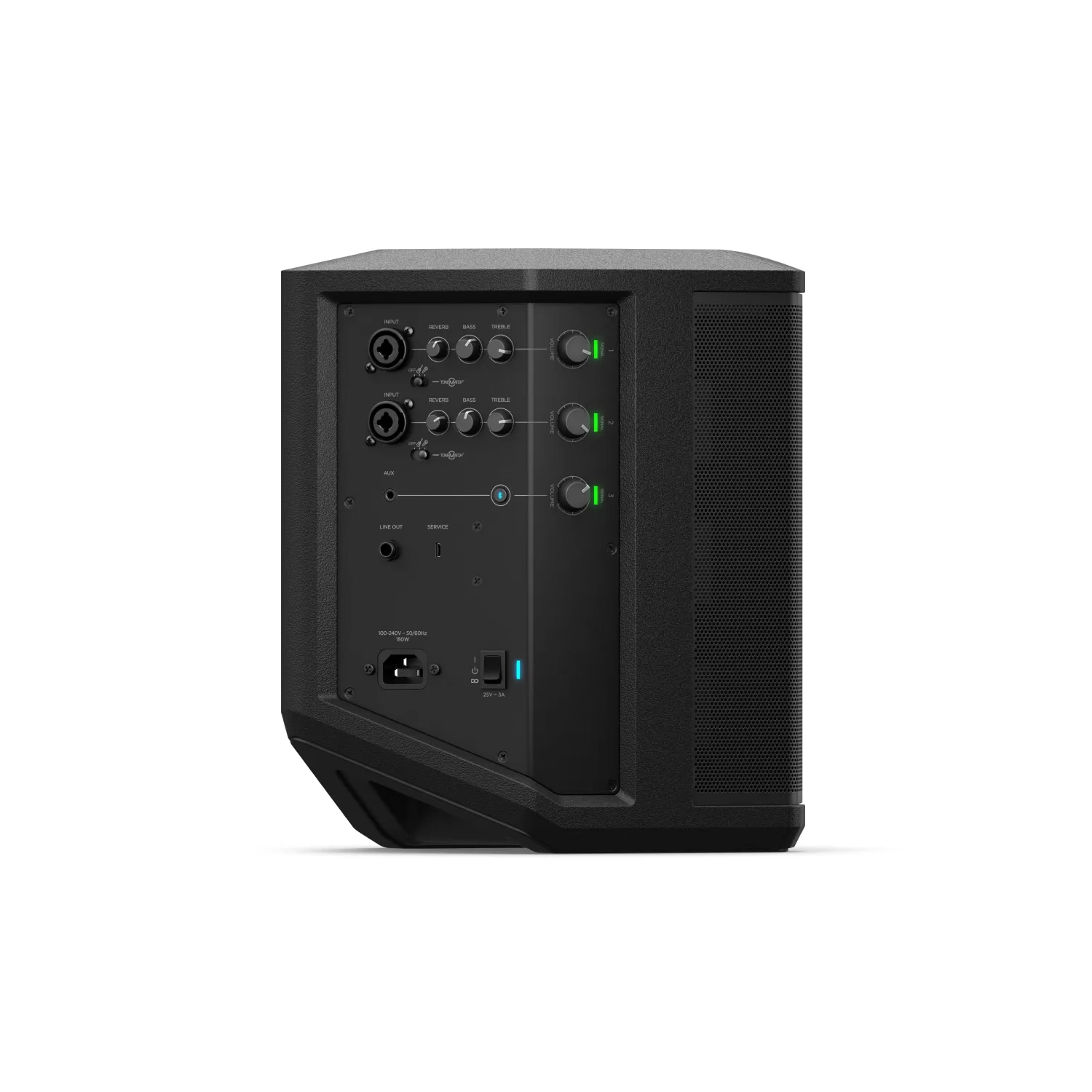
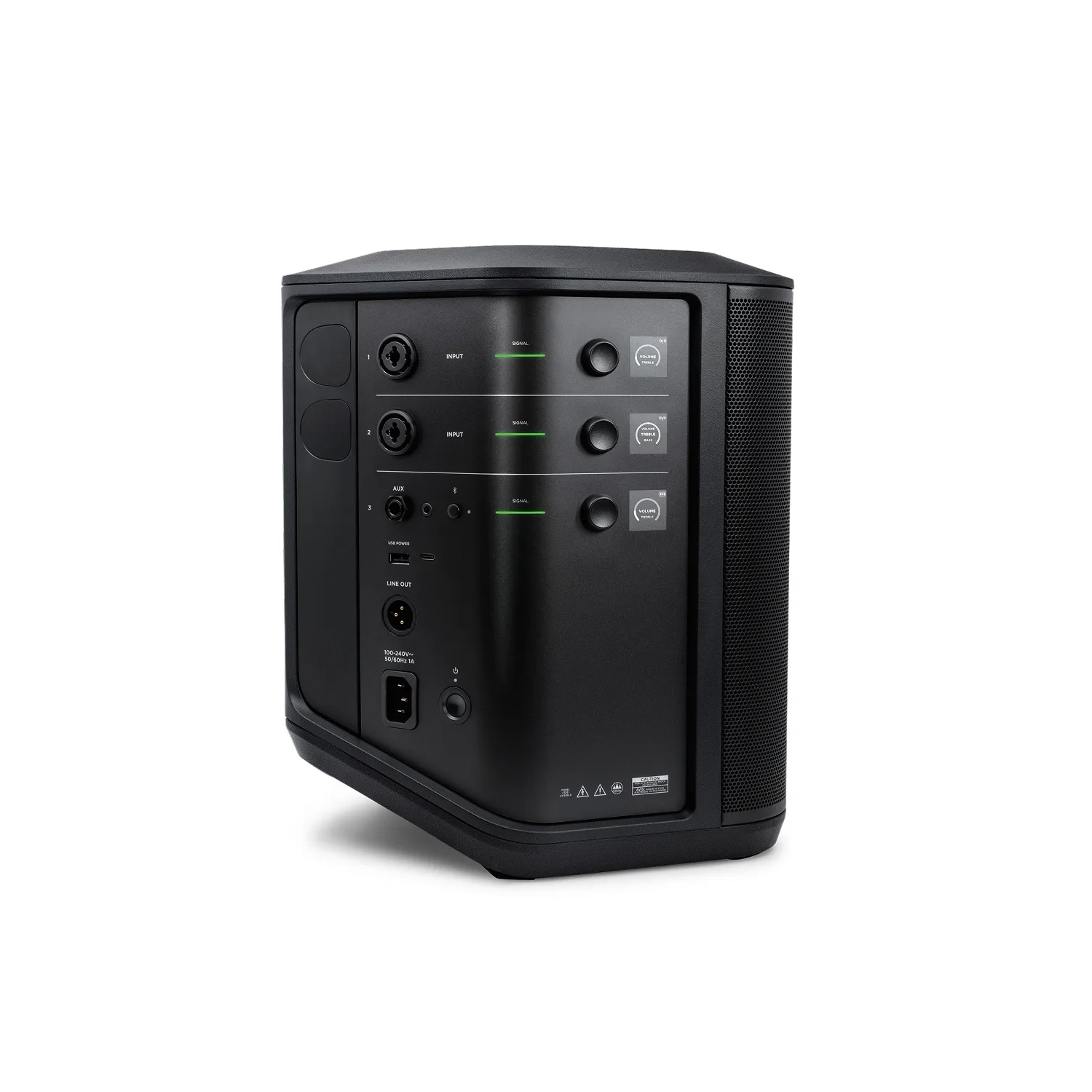
STEP 2: Determine if your battery pack is impacted by this recall
Locate the serial number printed on the battery pack. 1. Power off your S1 system and disconnect it from power. 2. On the bottom of your system, loosen the two screws and remove the bottom plate. 3. Remove the battery pack using the pull tabs.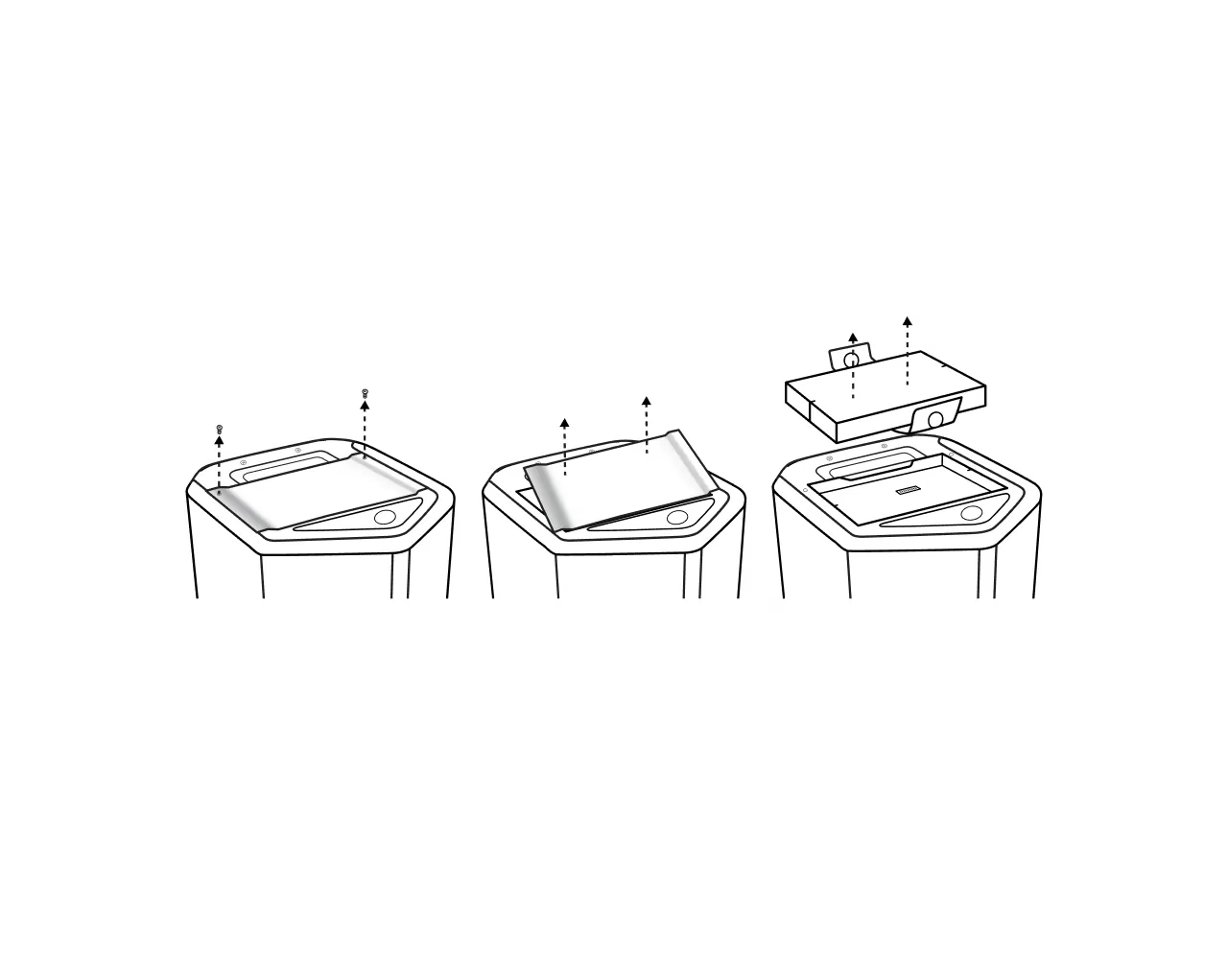
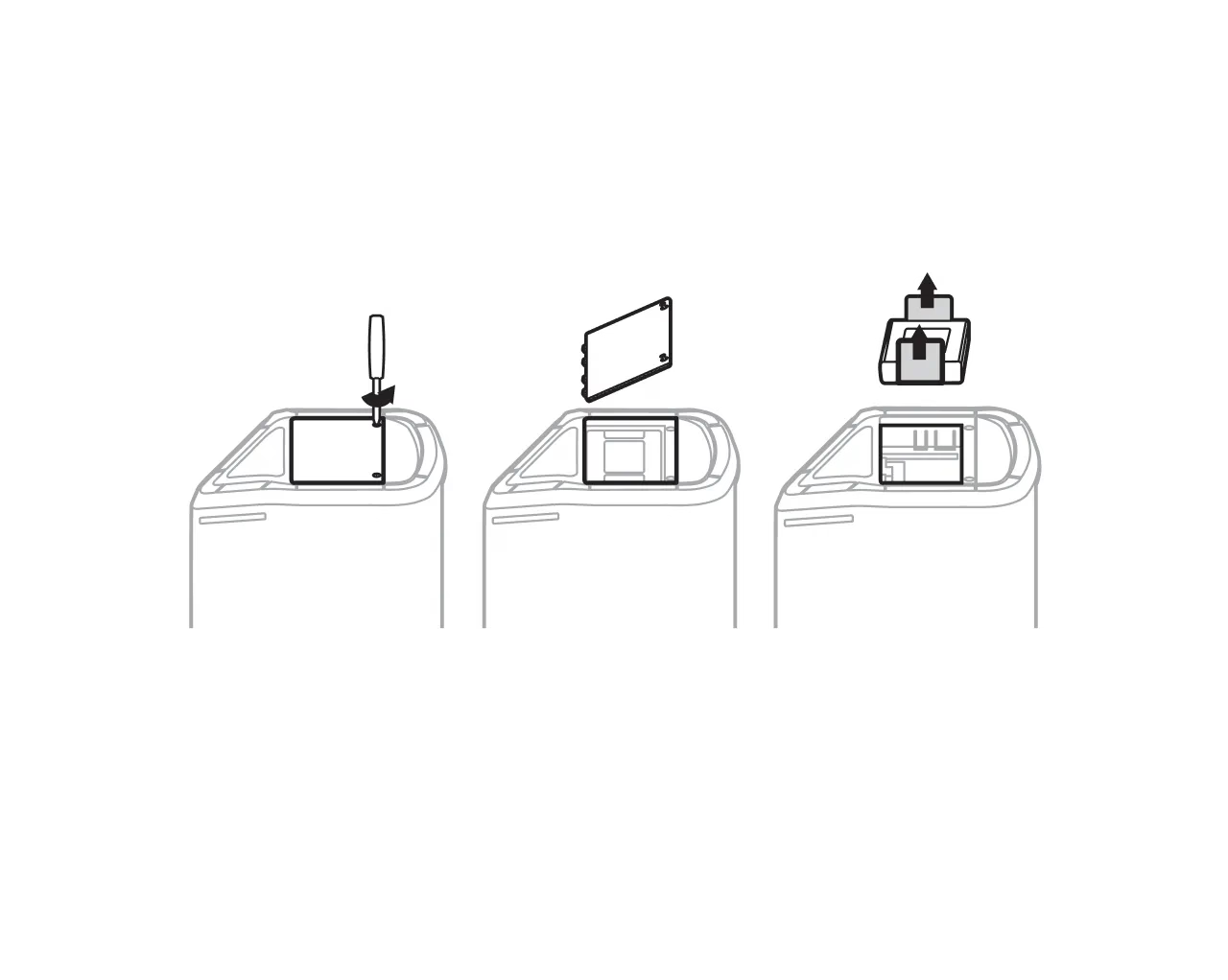
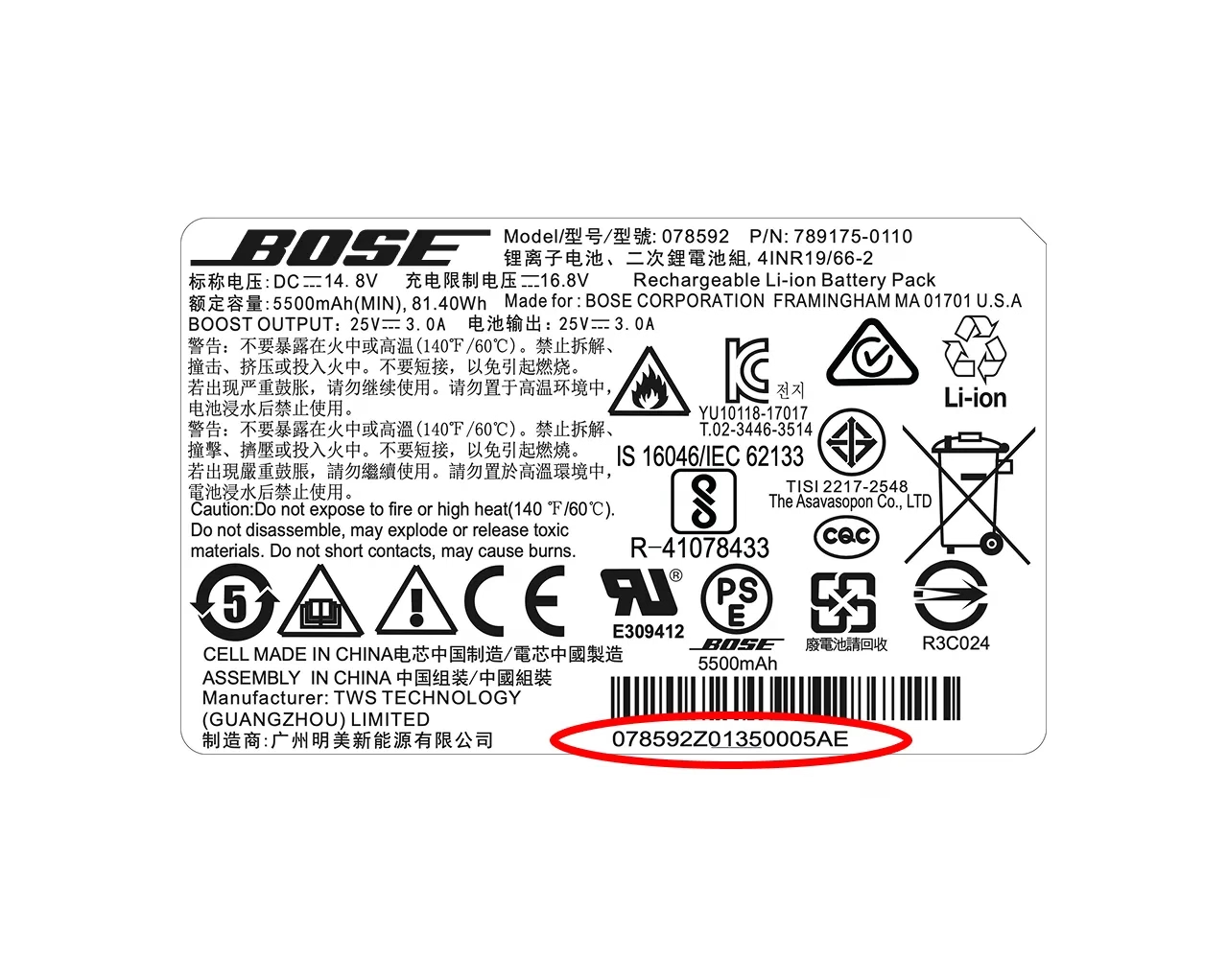
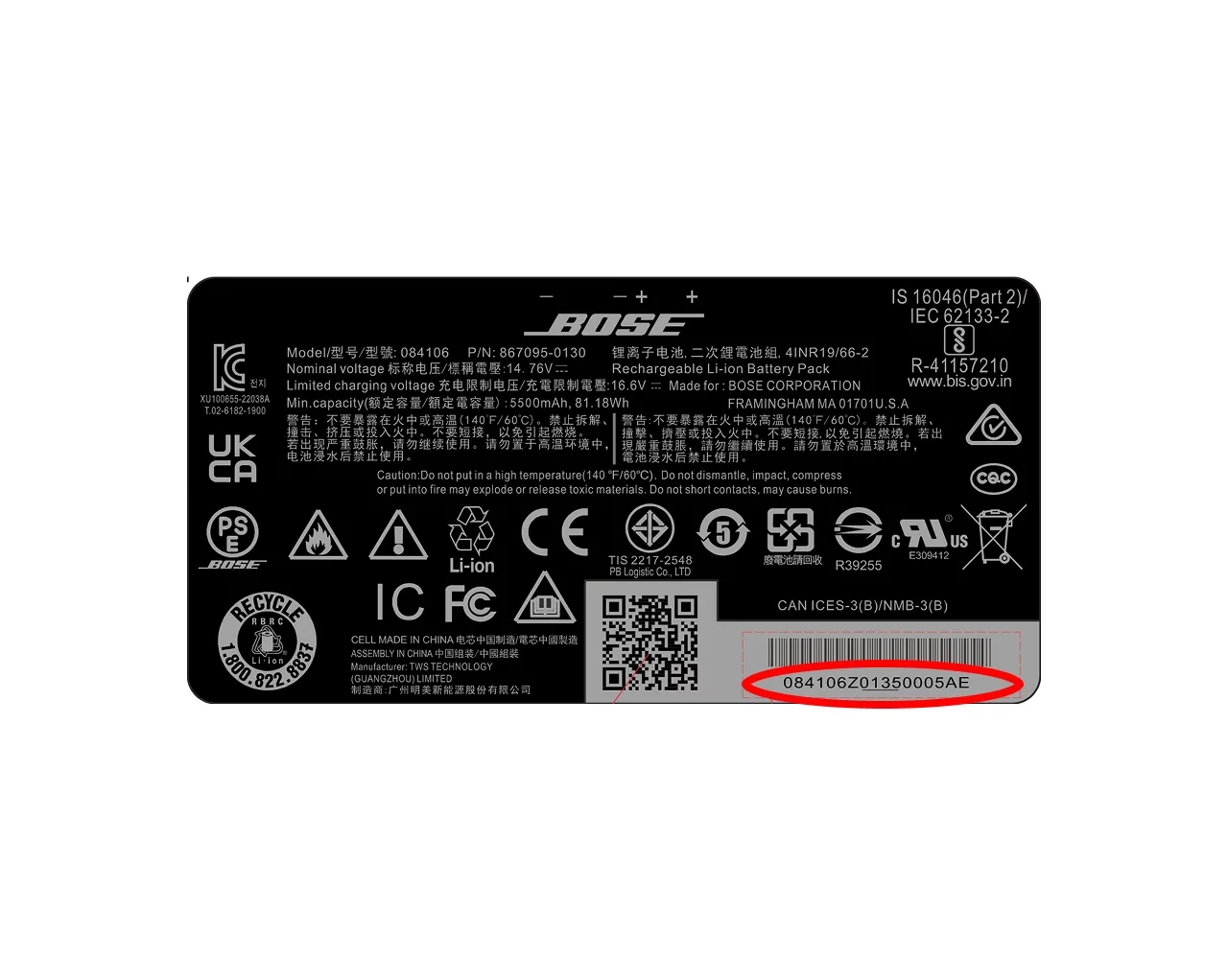
- 083723
- 078352
- 084105
- 078591
- 078592
- 084106
- 086409